Bearing
An app of their own, kept safe by design
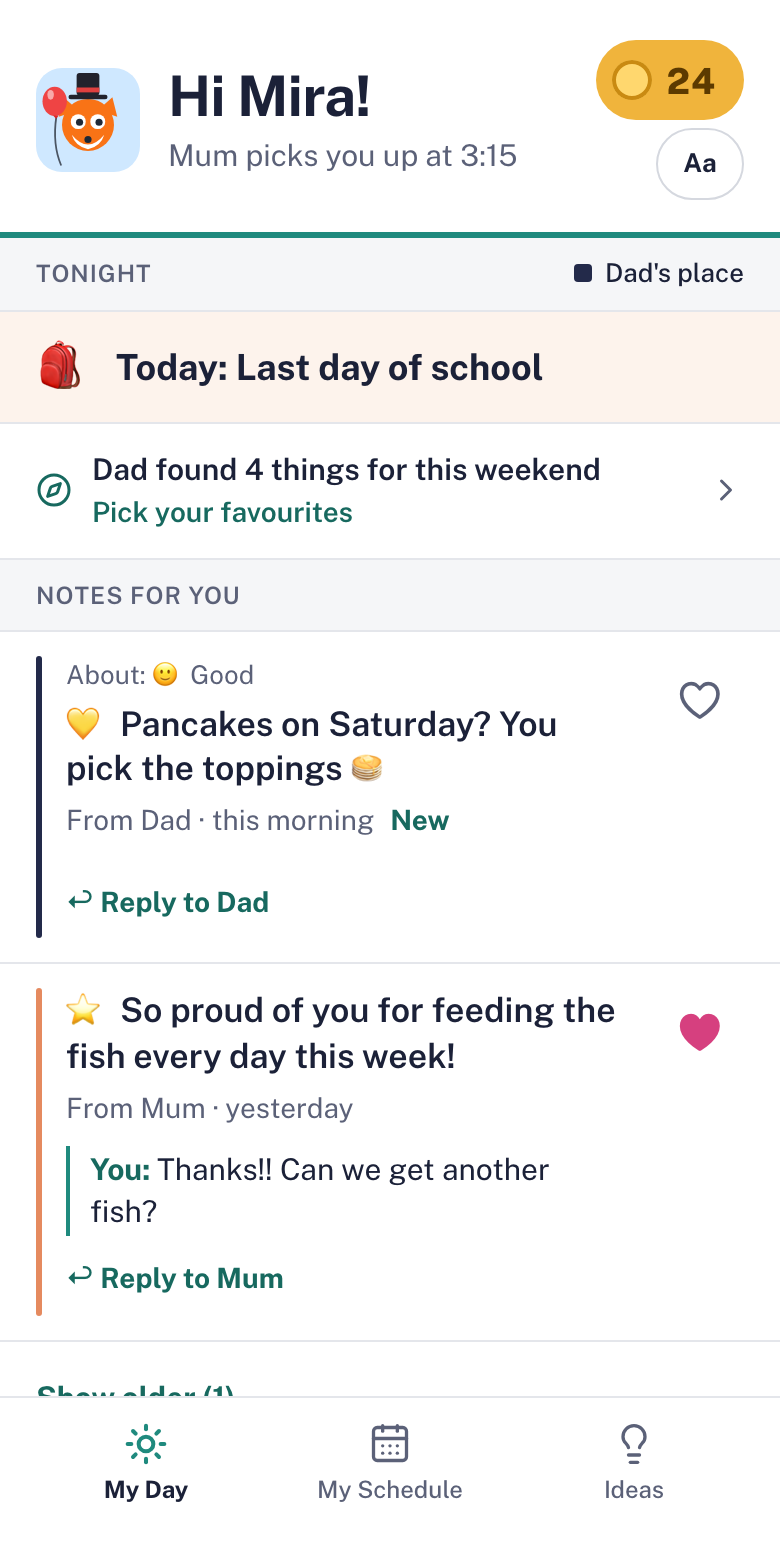
The kids' app shows a kid their own week, in words that fit their age, and gives them a gentle way to tell their parents how they're doing.
What kids see and do
- Their day: who picks them up, what's on, and whose place they're at tonight.
- Their schedule: the week ahead, from school dates to soccer.
- Notes from each parent, which they can reply to or heart.
- Chores and coins: tick off chores, earn coins and spend them on rewards their parents set.
- Check-ins: how they feel today, with words if they want.
- Ideas: things they'd like to do as a family, and ideas for the app. An idea for the app goes to the parents first, and reaches the Bearing team only if a parent sends it on, as just the idea: never the kid's name or age.
- Their own look: an avatar and a theme.
Who sees what they write
Mood check-ins go to both parents. For anything else, a kid chooses: both parents, or just one. A kid who wants a private diary can keep one offline.
If a kid writes words that suggest they're upset or not safe, the app gently shows a helpline on their device. That happens on the device, and nobody else is told.
Connecting a kid's device
- On a parent's phone: Kids › tap the kid › Profile › Set up [their name]'s device. A 6-digit code appears.
- On the kid's device, open Bearing and choose This is my child's device.
- Type the code. It works once and runs out after 15 minutes.
Kids never create an account and never type an email or password. A parent can see each kid's devices on the kid's page, and remove one at any time.
What we never do
- No ads, and no tracking.
- Kids can't post publicly or message anyone outside their family, and nobody outside the family can find them.
- We never sell or share what kids write, and it's never sent to AI or search services.
Parents are in charge: they can delete a kid's profile, which deletes everything that's only that kid's and signs out their device. More about privacy.