 Bearing
Your family's week, in one place you can both trust.
Bearing keeps the schedule, custody, to-dos and the kids' week together, so both parents see the same plan, and the kids get an app of their own.
On iPhone, iPad, Android and the web. The App Store and Google Play apps are coming soon.
- No ads, ever
- Your data is never sold
- No tracking
- Delete everything, any time
Everything the week needs, nothing it doesn't
Built for parents sharing kids across two homes, and just as useful in one.
One schedule, everyone on it
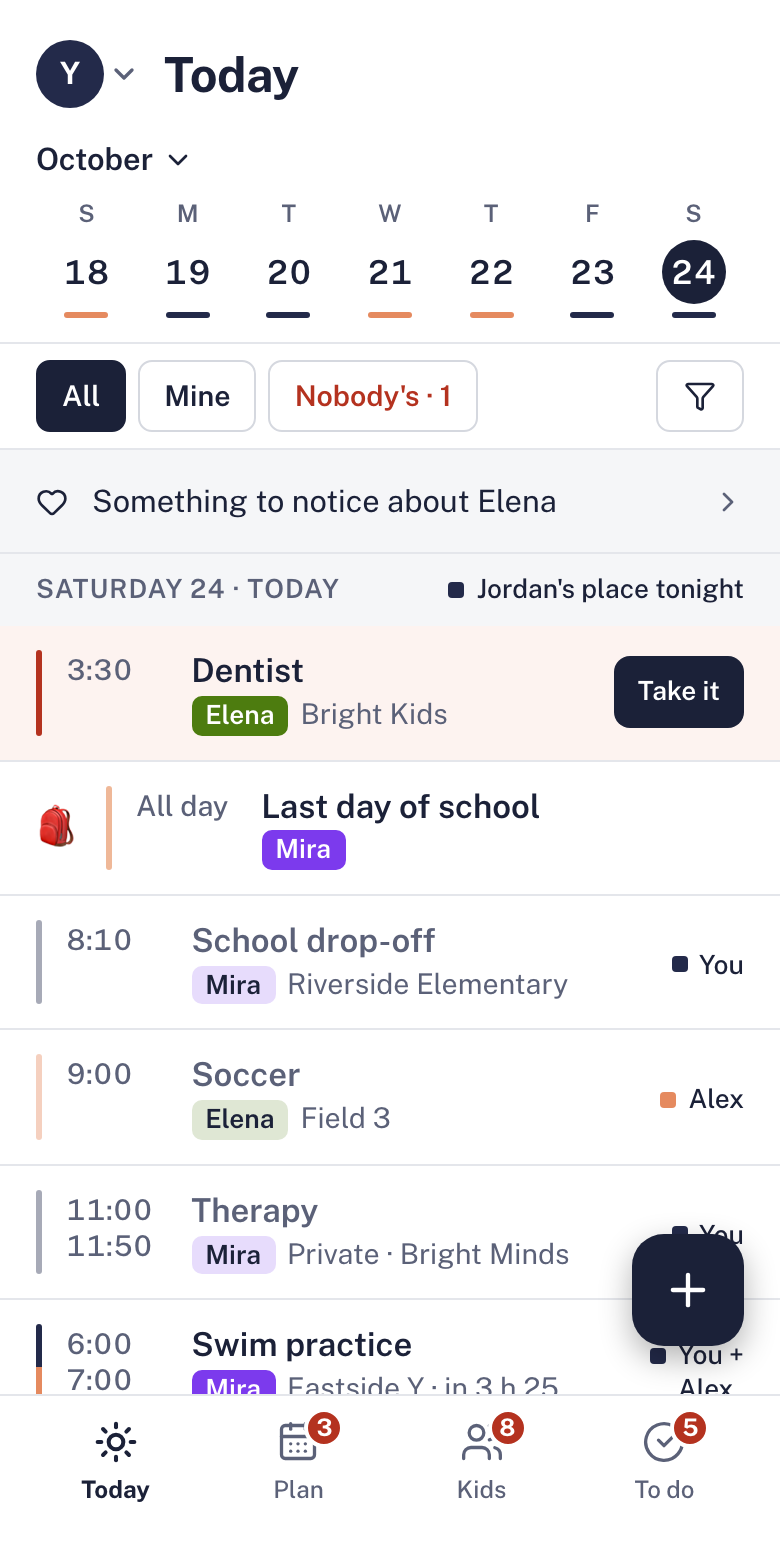
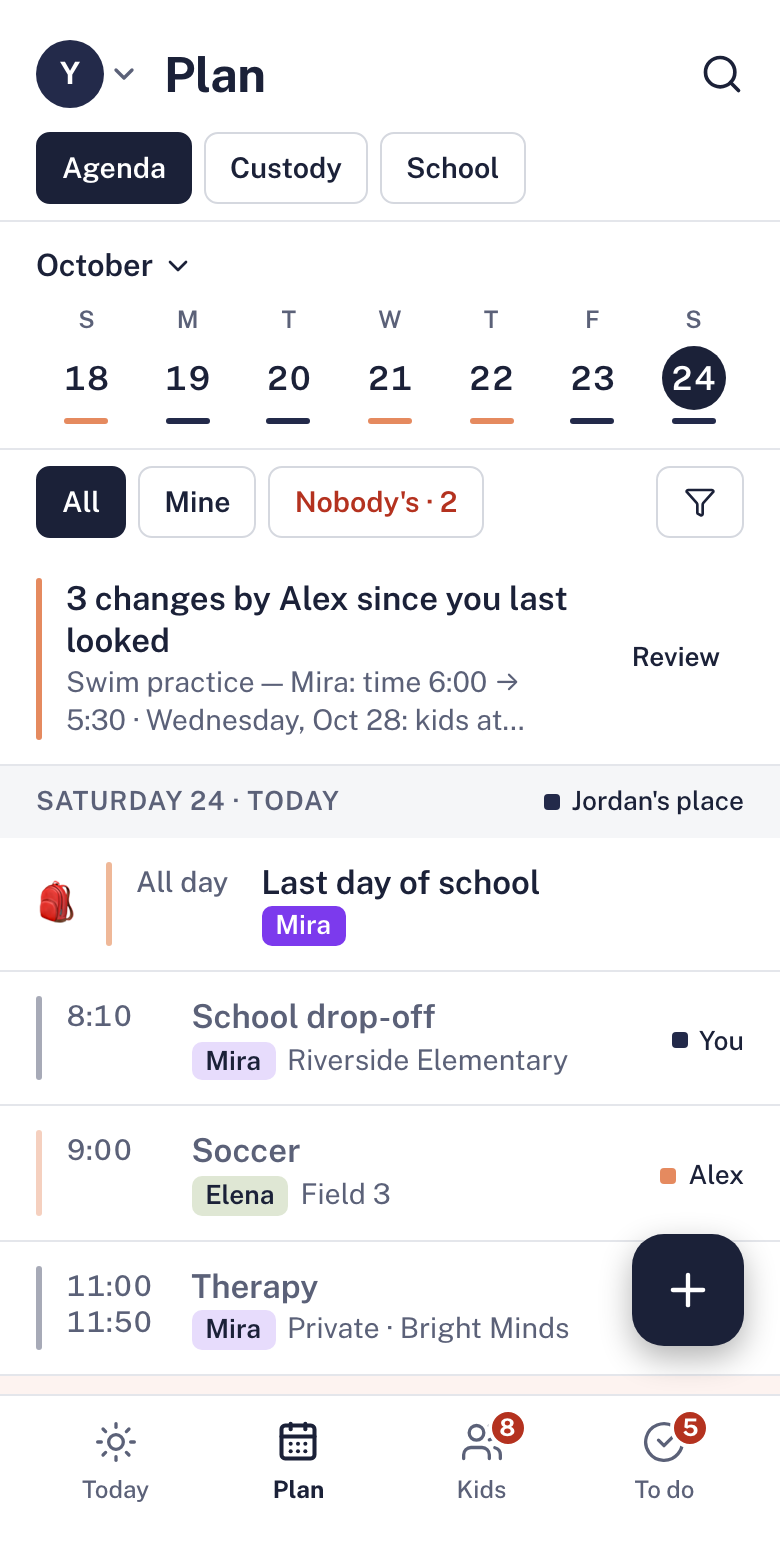
Pickups, activities, classes, school dates and trips, with who's taking each one. Anything nobody has picked up stands out, so it doesn't fall through the cracks.
- Today and a full Plan, with each kid tagged
- School calendars imported in one go
- "Running late" notes that go to the right people
Custody that's clear
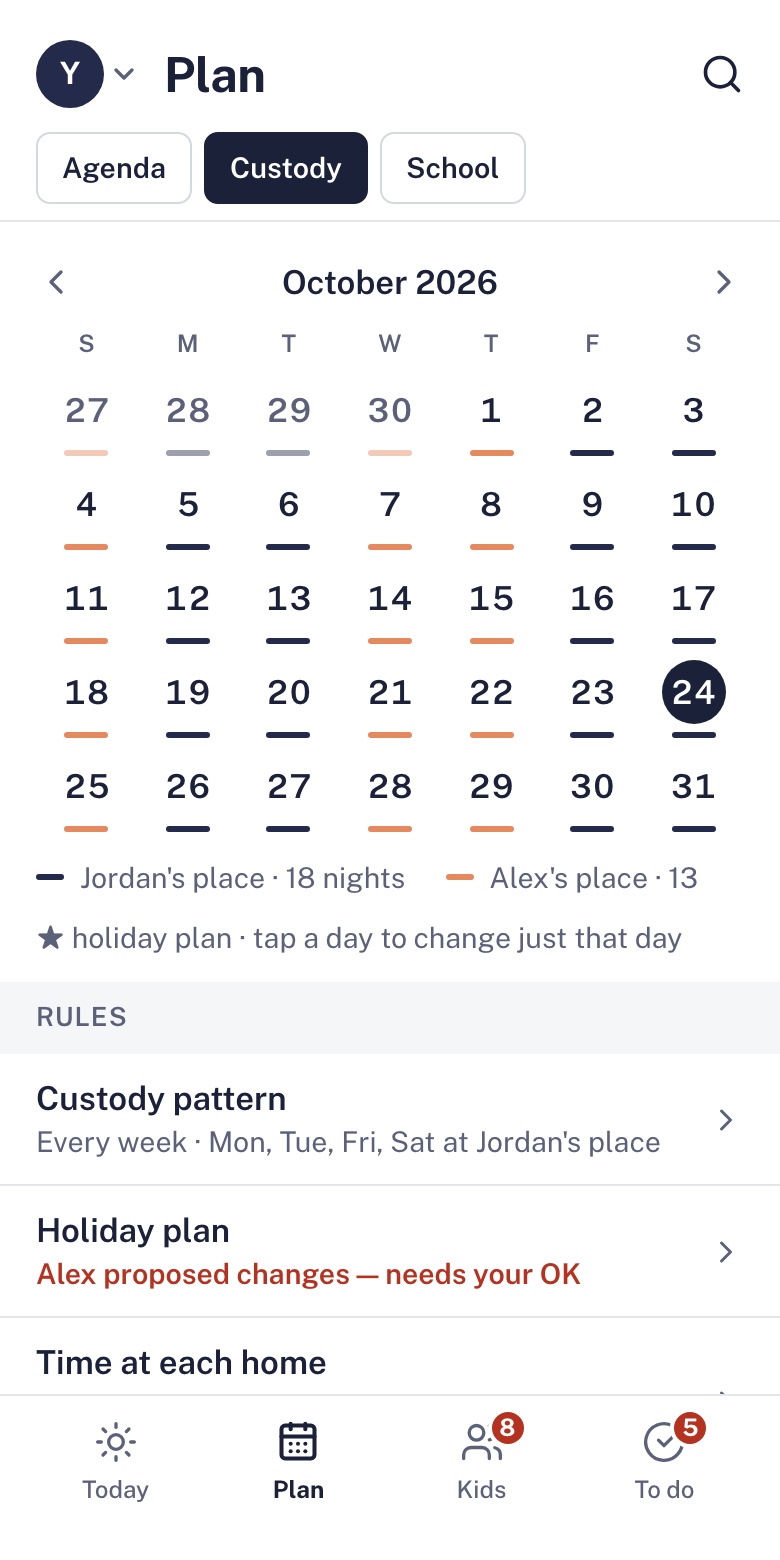
Set the pattern once and see whose night it is at a glance. Holidays follow your parenting plan, and Bearing counts the time at each home for you.
- The same every week, or a two-week cycle
- A holiday plan that takes over from the usual week
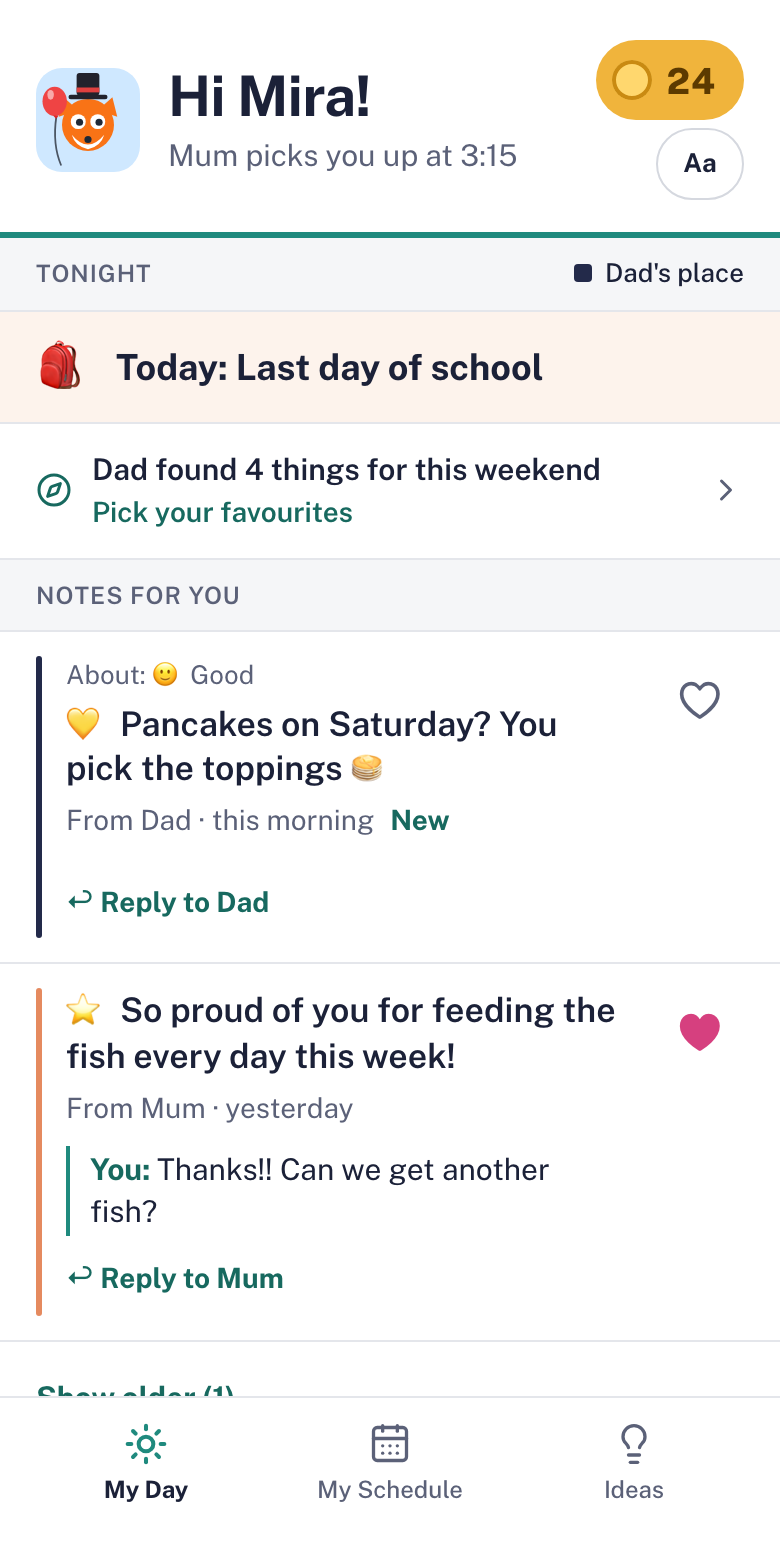
- The kids see where they're sleeping tonight
Changes that are agreed, not assumed
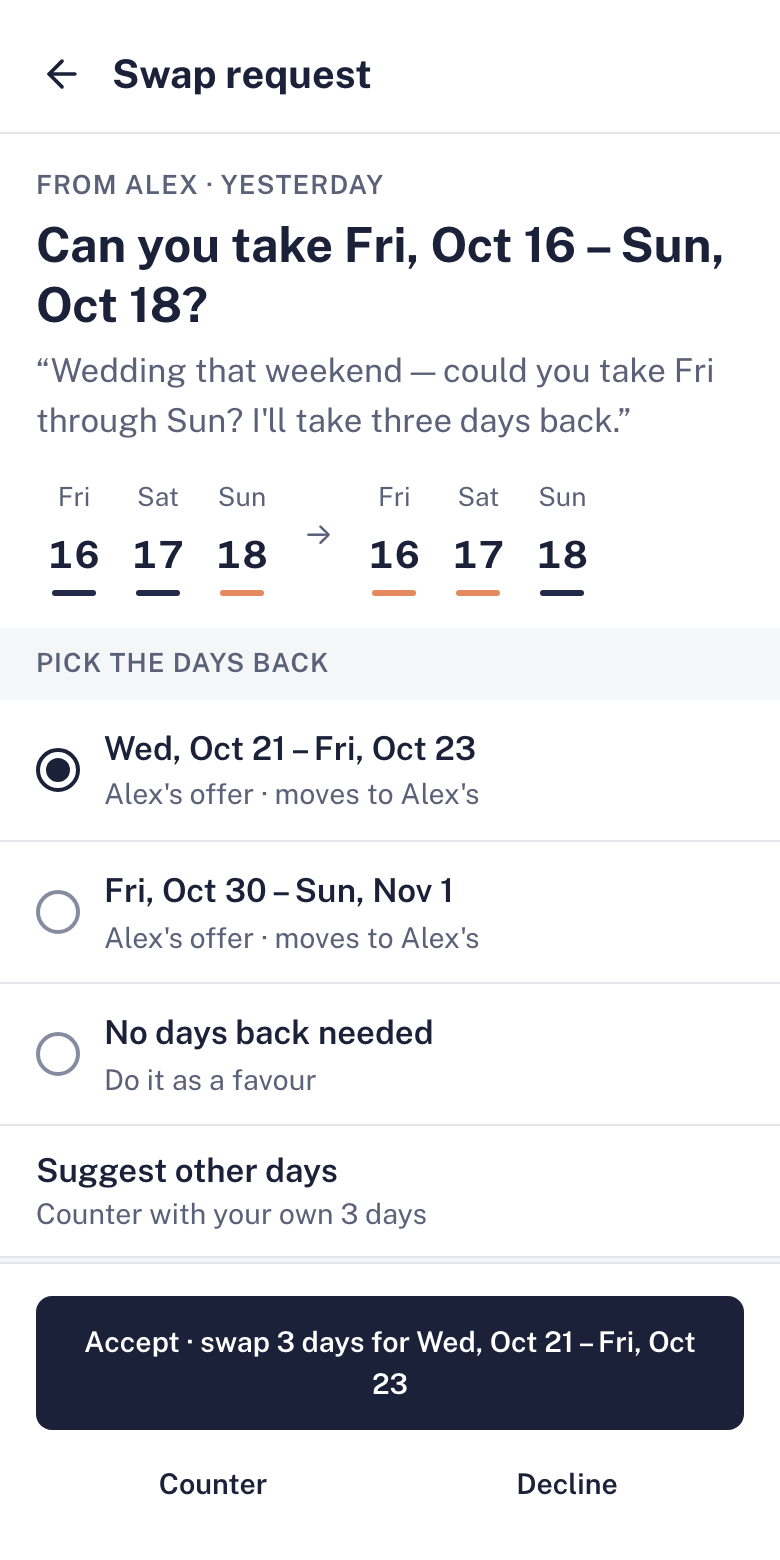
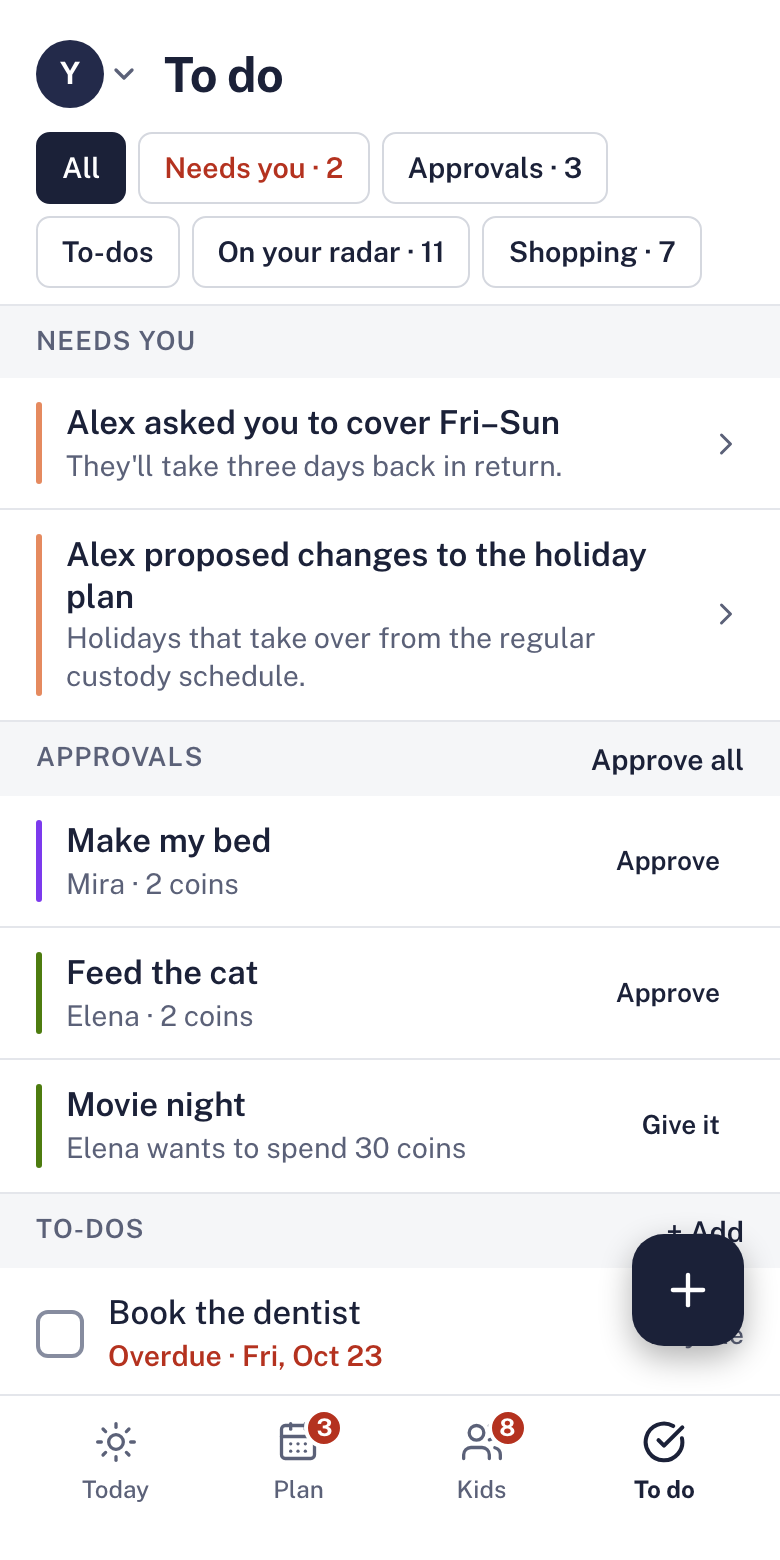
Need a swap? Ask for the days, offer as many back, and nothing changes until the other parent says yes. Every change to the plan is kept in an edit history, so nobody has to remember who said what.
- Swaps never approve themselves and never expire
- A holiday plan change needs both parents' OK
- Each parent sees what the other changed since they last looked
To-dos, lists and the things that are easy to forget
Shared or private to-dos with reminders, a shopping list for each home, and chores the kids can tick off. On your radar suggests the things parents forget, like dentist visits and school forms, based on your kids' ages.
- A weekly email on Sunday with the week ahead
- Caregivers or a parent not on Bearing can get their part by email
An app for the kids, on their own device
Kids see their day, where they're sleeping tonight, notes from each parent and their chores and coins. They can check in on how they feel and choose who sees what they write.
Set up in minutes
Create your family
Add your kids and your home or homes, and set the custody pattern if you have one.
Invite the other parent
Send them an invite. If they're not on Bearing, you can still keep track of their days and send them a weekly email.
Connect the kids
A 6-digit code from your phone sets up a kid's device. No email or password for them.
Private where it should be
Bearing is shared between parents by default, with real privacy where co-parents need it. Mark an event, to-do, contact or place as private and only you see it. Keep your home address to yourself. Kids choose whether what they write goes to both parents or just one.
There are no ads and no tracking, and your family's information is never sold. You can download a copy or delete everything at any time. Read about privacy.